



Web Application vs Website for Business
A web application is an interactive digital product that helps users complete actions, manage data or work with business processes online. This article explains web app what is, how a web app or website differs, and when companies need to develop web application functionality instead of a standard site. You will see practical web application examples, website application examples and examples of web based applications for business. The guide also covers custom web application logic, custom web app development services, web application cost, building a web app and how custom web development supports scalable digital products.
Introduction: Is Your Website a Shop Window or a Working Tool?
Many business owners assume that a "web application" is just a fashionable name for a website. That misunderstanding is risky, because it leads companies to order a landing page for a complex automation task and then wonder why "the website does not work the way we expected." Let us clear this up once and for all: what is the difference, and when does your business need more than a website and require a real web application?
Section 1: Website vs Web Application, Four Key Differences
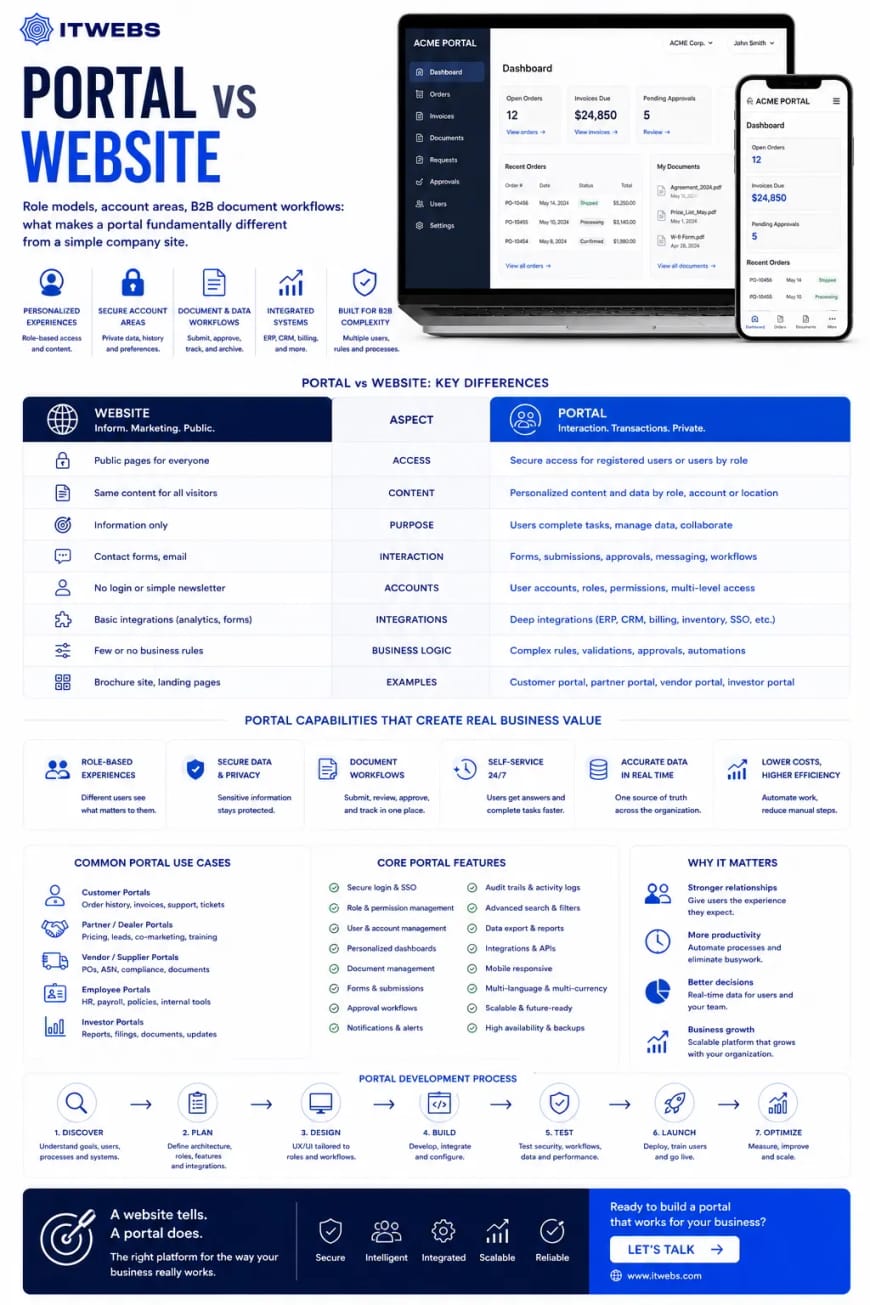
| Characteristic | Website | Web Application |
|---|---|---|
| Main purpose | Inform and attract attention | Perform actions and process data |
| User interaction | Read, browse, click links | Enter data, manipulate information, receive results |
| Data | Mostly static content, updated rarely | Dynamic database-driven content with real-time updates |
| Authentication | Usually not required | Essential, with roles and permissions |
Examples of websites: a corporate brochure site, a blog, a campaign landing page.
Examples of web applications: a customer portal, a CRM system, an online calculator with visual output, a delivery management dashboard, or an internal document workflow portal.
Section 2: Four Business Tasks Only a Web Application Can Solve
- An interactive service calculator. A client enters parameters such as area size or material type and instantly sees a calculated price. Tools like this can increase conversion by 20-40% because they remove uncertainty.
- A personal account with history and documents. Clients can see their orders, invoices, and signed acts, download documents, and pay online. This reduces support calls by 30-50%.
- A management dashboard. A single screen displaying sales charts, production load, and receivables in real time, aggregated from different sources such as the website, CRM, and 1C.
- An internal admin panel. A content manager updates products, a logistics specialist manages routes, and HR handles vacancies, each within their own role in one system. That is a web application, not just a "site admin panel."
Section 3: The Technical Core of a Web Application
A web application is a full software product that runs in the browser. Its architecture is different from that of a simple website:
- Frontend, usually an SPA, Single Page Application. Built with React, Vue, or Angular, it works smoothly without full page reloads, much like a mobile app.
- Backend and database. A robust server with an API and an SQL database where user data and business logic are stored.
- Integrations. Data exchange with CRM, ERP, payment gateways, and delivery services.
This stack delivers speed and security even with large numbers of concurrent users.
Section 4: How to Tell When a Website Is No Longer Enough
- Your clients often ask for pricing, but the website has no calculator.
- Your managers export leads from the website into Excel manually and waste hours doing it.
- You want clients to track order status online instead of calling the office.
- You have staff who need to manage content or orders through a web interface.
If at least two of these points sound familiar, it is time to think seriously about a web application.
Conclusion: A Web Application Is an Investment That Frees Up Resources
A website attracts attention. A web application solves business problems and saves time. It automates routine work, reduces pressure on staff, and makes working with your company convenient 24/7.
Do you have a task that a standard website simply cannot solve?
Tell us about the situation. We will propose a web application concept and estimate the implementation cost.